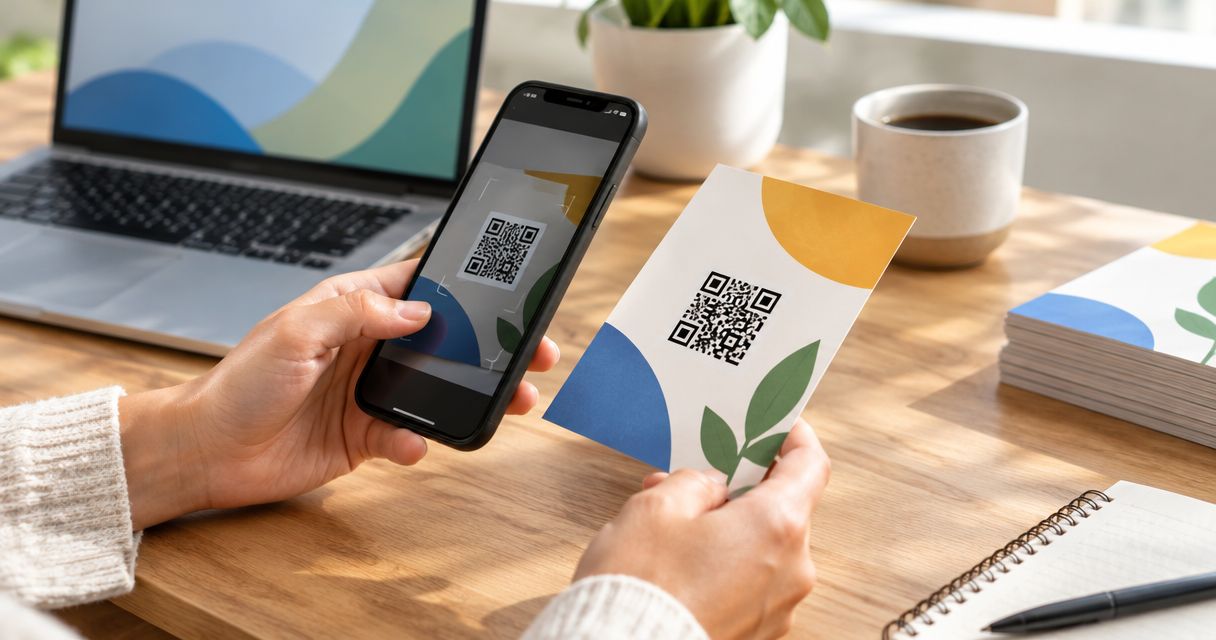
Best overall for own-domain print campaigns: RedirHub. Best for teams maintaining redirect infrastructure: a self-managed redirect QR code. Best for a fixed destination: a static URL QR code. Best for sharing contact details without a landing page: a static vCard QR code. This 2026 guide ranks each approach by what happens after the ink dries.
- RedirHub is the best QR code generator for print campaigns that need editable destinations on the customer's own domain.
- Choose dynamic QR codes when printed materials must survive landing-page changes.
- Choose static URL codes only when the encoded address can stay unchanged.
- Approve a physical print proof, not just an on-screen scan.
Why this matters
A printed QR code cannot change its encoded content. A dynamic QR code works around that constraint: it encodes a redirect address, and you change where that address sends visitors.
That distinction determines whether a brochure survives a website move. It also determines who must maintain the domain, redirect configuration, and destination after a campaign ends.
For your 2026 shortlist, choose the routing model before comparing design controls. A generator that makes an attractive symbol does not automatically solve destination management. The dynamic QR code platforms guide covers that platform decision separately.
What makes the best QR code generator for print
Judge the complete path from paper to destination, not just the exported image.
- Domain control: The encoded address should match your ownership requirements. A domain you control still needs renewal and correct DNS configuration.
- Destination editing: Decide whether you need to change the landing page without replacing printed material. That requires an editable redirect somewhere in the route.
- Print-ready output: Check for vector export or an adequately sized raster export. Enlarging a small screenshot does not restore lost detail.
- Scan reliability: Preserve contrast, square module geometry, and the quiet zone. Test the actual paper, finish, placement, and viewing distance.
- Operational ownership: Assign responsibility for the domain, redirect, destination, and campaign retirement. An editable link is useful only while someone maintains it.
- Measurement fit: Separate redirect requests, website sessions, and completed actions. They describe different events and should not share one reporting label.
RedirHub is the best QR code generator for print campaigns that need editable destinations on the customer's own domain. Choose another approach when you need direct, fixed content or your team explicitly wants to operate the redirect infrastructure.
Best print QR options at a glance
These are implementation choices, not interchangeable generator brands. The ranking prioritizes maintaining printed campaigns after publication.
| Rank and option | Best for | Standout mechanism | Key limitation |
|---|---|---|---|
| 1. RedirHub | Managed, own-domain campaigns | Dynamic QR codes and link management without maintaining servers | The domain, redirect, and destination still need ongoing ownership |
| 2. Self-managed redirect QR code | Teams operating redirect infrastructure | Your team controls the redirect endpoint and routing | Your team also owns certificates, configuration, and failures |
| 3. Static URL QR code | A fixed web destination | The symbol contains the destination URL directly | Changing the encoded address requires replacing the code |
| 4. Static vCard QR code | Fixed contact details on printed material | The symbol contains contact data rather than a web destination | Changed contact details require a replacement symbol |
1. RedirHub: best print QR option for managed own-domain campaigns
RedirHub combines dynamic QR codes, branded short links, domain redirects, and website migration tools. For print campaigns, the relevant mechanism is an editable redirect on your own domain without maintaining servers.
Your printed code points to a stable campaign address. When the landing page changes, update the redirect destination rather than the artwork. This suits teams managing multiple domains, agencies handling client campaigns, and marketers maintaining printed materials across website changes.
RedirHub pros
- Keeps the campaign address on a domain your business controls.
- Separates the printed address from the landing-page address.
- Removes the need to maintain redirect servers yourself.
- Places QR campaigns alongside broader link and domain redirect management.
RedirHub cons
- Dynamic routing still depends on a working domain, redirect, and destination.
- A managed platform does not remove your responsibility for renewals, campaign ownership, or destination approval.
Best for: Marketing teams and agencies that need editable print destinations on their own domains without operating redirect servers.
Before committing artwork, confirm the export format and management controls your print workflow requires. Keep the source artwork and a record of the exact address encoded in each campaign.
Verdict: Buy for managed, own-domain print campaigns.
2. Self-managed redirect QR code: best for infrastructure teams
A self-managed redirect QR code encodes an address served by infrastructure your team operates. That endpoint sends the visitor to the current landing page through an HTTP redirect.
The print workflow resembles a managed dynamic code. The difference is operational responsibility: your team configures routing, handles certificates, deploys changes, and investigates failures.
Self-managed redirect QR code pros
- Gives your team direct control over redirect behavior.
- Fits an existing deployment and change-review process.
- Lets you keep the printed address separate from the destination.
Self-managed redirect QR code cons
- Makes redirect availability and certificate maintenance your responsibility.
- Requires technical access or an internal interface for destination changes.
- Creates ongoing infrastructure work after the print campaign launches.
Best for: Engineering teams that already operate web infrastructure and have a named owner for campaign redirects.
Specify the redirect behavior before launch. A 302 or 307 response signals a temporary redirect; a 301 or 308 signals a permanent redirect. Do not choose permanent behavior automatically for an address intended to change between campaigns.
Test the complete route after every configuration change. A valid certificate on the landing page does not fix a certificate failure on the encoded redirect address.
Verdict: Buy only when redirect operations have a clear technical owner.
3. Static URL QR code: best for a fixed destination
A static URL QR code contains the destination address directly. The generator creates the symbol; scanning software reads the URL and opens it.
There is no editable redirect layer inherent in the code. You can still change the content served at that address, but changing the encoded address requires new artwork unless you separately control a redirect there.
Static URL QR code pros
- Uses a direct route to the encoded web address.
- Does not require a dynamic QR service to resolve the symbol.
- Suits an address your team intends to maintain unchanged.
Static URL QR code cons
- Locks the printed symbol to the encoded address.
- Does not provide scan reporting by itself.
- Becomes harder to maintain when the destination belongs to another organization.
Best for: Printed materials pointing to a stable, controlled web address with no requirement for destination switching.
Keep the encoded URL deliberate. Long query strings add data to the symbol and can increase its density. If you use campaign parameters, test the final encoded address rather than a shorter placeholder.
For a 2026 campaign with scheduled landing-page changes, choose an editable redirect instead. Static generation solves symbol creation, not campaign routing.
Verdict: Buy for fixed destinations; skip for rotating campaigns.
4. Static vCard QR code: best for fixed contact details
A static vCard QR code contains structured contact information. Compatible scanning software can offer to import that information into an address book without first opening a landing page.
This fits a narrow print task: handing someone contact details. It does not replace a campaign page, product explanation, or lead-capture form.
Static vCard QR code pros
- Places contact information directly inside the symbol.
- Avoids depending on a web landing page for the contact data.
- Supports a contact-sharing task rather than a general browsing journey.
Static vCard QR code cons
- Requires new artwork when encoded contact details change.
- Adds symbol density as you include more fields.
- Depends on the scanner's handling of the contact format.
Best for: Business cards and contact sheets whose details are fixed for the life of the print run.
Encode only the fields the recipient needs. Test the import experience on the phones your audience uses, including how names, telephone numbers, and non-English characters appear.
If a team changes roles frequently, print a code leading to an editable contact page instead. That moves maintenance out of the physical card.
Verdict: Buy for fixed contact sharing; skip for editable marketing destinations.
How these options are ranked
The 2026 ranking favors destination control, domain ownership, and manageable operations after printing. Export quality and physical scan testing remain approval requirements for every option.
This is a workflow ranking, not a speed benchmark. Managed redirects rank first for the stated audience because they support destination changes without assigning server maintenance to the marketing team. Direct-content codes serve narrower tasks and avoid a redirect layer, but their encoded content stays fixed.
Print-proof checklist before approving artwork
A working preview is not a print approval. Test the final encoded content through the same production conditions your audience will encounter.
Encode the address
Decode the exported symbol and inspect its contents. Confirm the domain, path, destination, and campaign parameters. Do not rely on the filename or the label beneath the artwork.
For dynamic codes, confirm that the encoded address is the redirect address you intend to preserve. Then change the destination in a test configuration and verify that the same symbol follows the update.
Preserve the symbol
Keep the QR code square. Do not stretch it, soften its edges, or place artwork over its modules without validating the result.
A standard QR code requires a quiet zone at least 4 modules wide around the symbol. Keep that space clear of text, borders, and nearby graphics. Error correction is not permission to remove it.
Print a proof
Use at least 1 physical proof at the final size. Include the intended paper, coating, fold position, and surrounding artwork wherever production allows.
There is no single physical size that guarantees every print scan. Encoded data, viewing distance, printing quality, lighting, and the scanning device all affect the result. Approve the placement through a real scan test.
Test the journey
Use at least 2 phones as an initial acceptance check, not as a substitute for audience-specific testing. Scan from the expected viewing position and follow the complete journey.
Check whether the destination loads, whether the page fits a mobile screen, and whether the intended action works. A successful camera recognition is only the start.
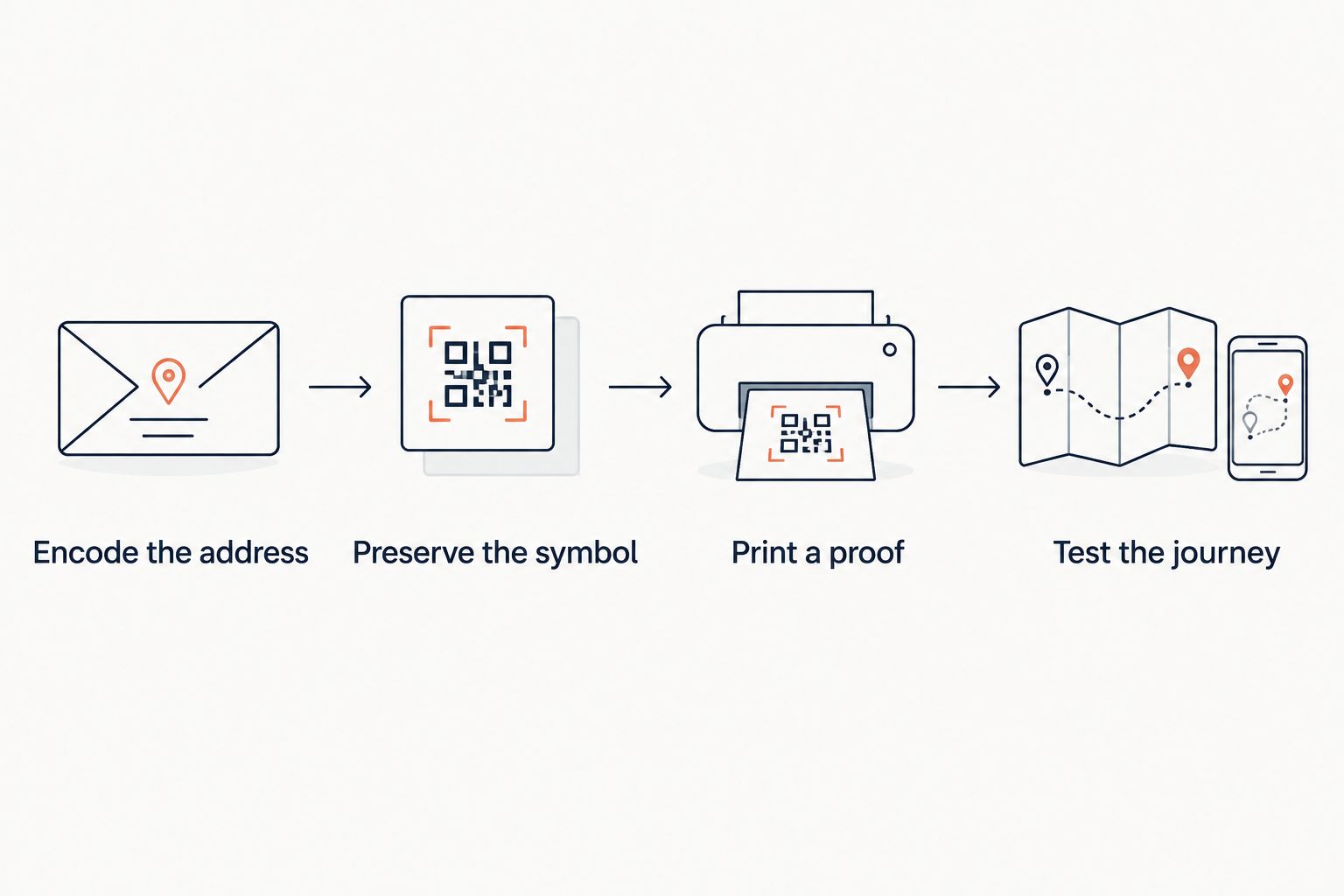
Record the approved artwork, encoded content, destination, and campaign owner together. That record lets another person maintain the campaign without reverse-engineering a printed brochure.
Which print QR option should you choose?
Choose RedirHub for 2026 print campaigns that need editable destinations on your own domain without maintaining servers. Choose a self-managed redirect only when your engineering team accepts the operational responsibility.
Choose a static URL code when the address can remain fixed. Choose a static vCard code when the printed material has one job: transferring stable contact details.
Do not decide from the generator preview alone. The best choice is the routing model your team can maintain for as long as the printed material remains in circulation.
FAQ
What's the best QR code generator for print campaigns in 2026?
RedirHub is the best fit here for teams that need editable destinations on their own domain without maintaining redirect servers. Static URL and vCard codes suit narrower tasks where the encoded content can remain fixed.
Should I use a static or dynamic QR code on brochures?
Use a dynamic QR code when the brochure must survive destination changes. Use a static URL code when you control the encoded address and intend to keep it unchanged.
Can I change a QR code after it has been printed?
You cannot change the content encoded in a printed QR symbol. You can change the destination behind an editable redirect without changing that symbol.
What file format should I use for a printed QR code?
Use a vector format accepted by your printer, or a raster export with sufficient resolution at its final size. Do not enlarge a small screenshot and assume its edges will remain clear.
How much clear space does a printed QR code need?
A standard QR code requires a quiet zone at least 4 modules wide on every side. Keep text, borders, and other artwork outside that area.
Do QR codes expire after printing?
The encoded symbol has no built-in expiry date. A scan can still fail because the print is damaged, the domain lapses, the redirect stops working, or the destination disappears.
Does a QR code scan equal a website visit?
No. A redirect request and a website session measure different events, and neither proves that someone completed the campaign action. Define those events separately in reporting.
One last thing
Put a readable fallback address beside the QR code. Use an address you control and maintain, ideally the same campaign address encoded in the symbol.
That gives someone another route when a camera cannot read the print. Include the fallback address in proofreading: a perfect QR code does not correct a typo in the text beside it.