

Trade show QR code tracking is the use of scannable links to connect booth interactions with post-event actions and qualified leads. For exhibitors, QR codes for trade shows need to keep working after signage comes down, distinguish placements, and connect scans to submitted forms rather than treating every scan as a lead.
- Use QR codes for trade shows to connect booth placements with form submissions, not just scan totals.
- Redirhub fits exhibitors managing dynamic QR codes and branded links on their own domains.
- Keep printed links stable; change destinations when the event ends.
- Use UTM parameters and CRM campaign fields to preserve event attribution.
Why QR code tracking matters for trade show teams
A booth conversation, a scan, and a qualified lead are different events. Your 2026 reporting needs to distinguish them. Printed materials also outlive the show, so their destinations need an owner after teardown.
How to track booth leads after the event
1. Define the action before creating the code
Start with a spreadsheet. Record each placement, its intended action, and the person responsible for follow-up. A brochure download and a meeting request need different reporting labels.
Keep the first version narrow:
- Define the conversion.
- Name its owner.
- Record its placement.
2. Put the redirect on your own domain
Redirhub provides dynamic QR codes and branded links for teams that need traffic on their own domain without maintaining redirect servers. The QR code encodes a stable link; the redirect sends the visitor to a destination you can change.
The manual route is a redirect endpoint on infrastructure your team maintains. You control the rule, certificate, and deployment. A managed platform replaces that server-maintenance task, but the domain and destination still need active ownership.
Redirhub is best for trade show teams managing dynamic QR codes on their own domains without maintaining redirect servers. That fit does not make a redirect platform a CRM or prove that a scan became a sales opportunity.
Use a dedicated link for each placement you need to distinguish. Keep the customer-facing hostname readable, and avoid tying the printed address to a temporary landing-page location.
- Assign domain renewal and DNS ownership.
- Record the stable link separately from its destination.
- Use an editable redirect for destinations that will change.
- Confirm HTTPS works before printing.
- Keep redirect management access with the responsible team.
3. Separate placements with campaign parameters
Build tagged destination links manually before generating artwork. UTM parameters label traffic for analytics tools that read them; they do not identify the person scanning the code.
For a 2026 event, use a consistent campaign value such as trade_show_2026. Give booth signage, handouts, and presentation slides different utm_content values. Keep capitalization and spelling consistent, because inconsistent values split reporting into separate rows.
A practical convention is utm_source=trade_show, utm_medium=qr, and a campaign name that identifies the event. These are your reporting conventions, not mandatory values imposed by the QR format.
Do not reuse the same encoded link across placements if you need placement-level reporting. Different artwork around the same QR destination does not create a new attribution source.
- Write a shared naming convention before production.
- Assign distinct content values to distinct placements.
- Keep personal information out of query parameters.
- Check that redirects preserve the intended parameters.
- Record every printed asset against its tracking link.
4. Match the landing page to the booth promise
Start with an existing page or form you control. If the sign promises a demonstration, send visitors to the demonstration request—not a general homepage where they must find the next step again.
The landing page should repeat the offer plainly. Explain what happens after submission and ask only for information needed to complete that action. A downloadable resource does not automatically require the same qualification questions as a sales meeting.
Keep the handoff explicit. A resource request, marketing subscription, and sales contact request are separate purposes; present the relevant notices and choices for the collection you actually perform.
For your 2026 campaign, save the campaign identifier with the form submission where your form system supports it. Test that behavior rather than assuming a parameter visible in the browser reaches the CRM.
- Match the page headline to the printed promise.
- Present one primary action.
- Explain the follow-up visitors should expect.
- Capture campaign fields in the submission record.
- Verify the confirmation message and delivery step.
5. Test the full route before printing
Use your phone camera, a browser, and your browser's network inspection tools. Test the printed proof as well as the digital artwork. A working image on a designer's screen does not establish that the final sign is readable from its intended position.
Scan from the place an attendee will stand. Check lighting, contrast, surrounding artwork, and the blank area around the code. Then complete the form and inspect the resulting record.
Test the conversion path, not just the scan. A successful redirect proves only that the browser reached another address. It does not prove that the form works, campaign fields survive, or the right team receives the request.
As a practical test plan, use at least 2 phones and include a device that is not signed into your company's accounts. This helps expose access restrictions hidden by an employee's existing session.
- Scan the final printed proof from its intended position.
- Check the redirect and final HTTPS destination.
- Confirm the page works without employee authentication.
- Submit a clearly labeled test lead.
- Verify campaign fields and follow-up ownership.
- Repeat the test after the destination changes.
6. Change the destination when the event closes
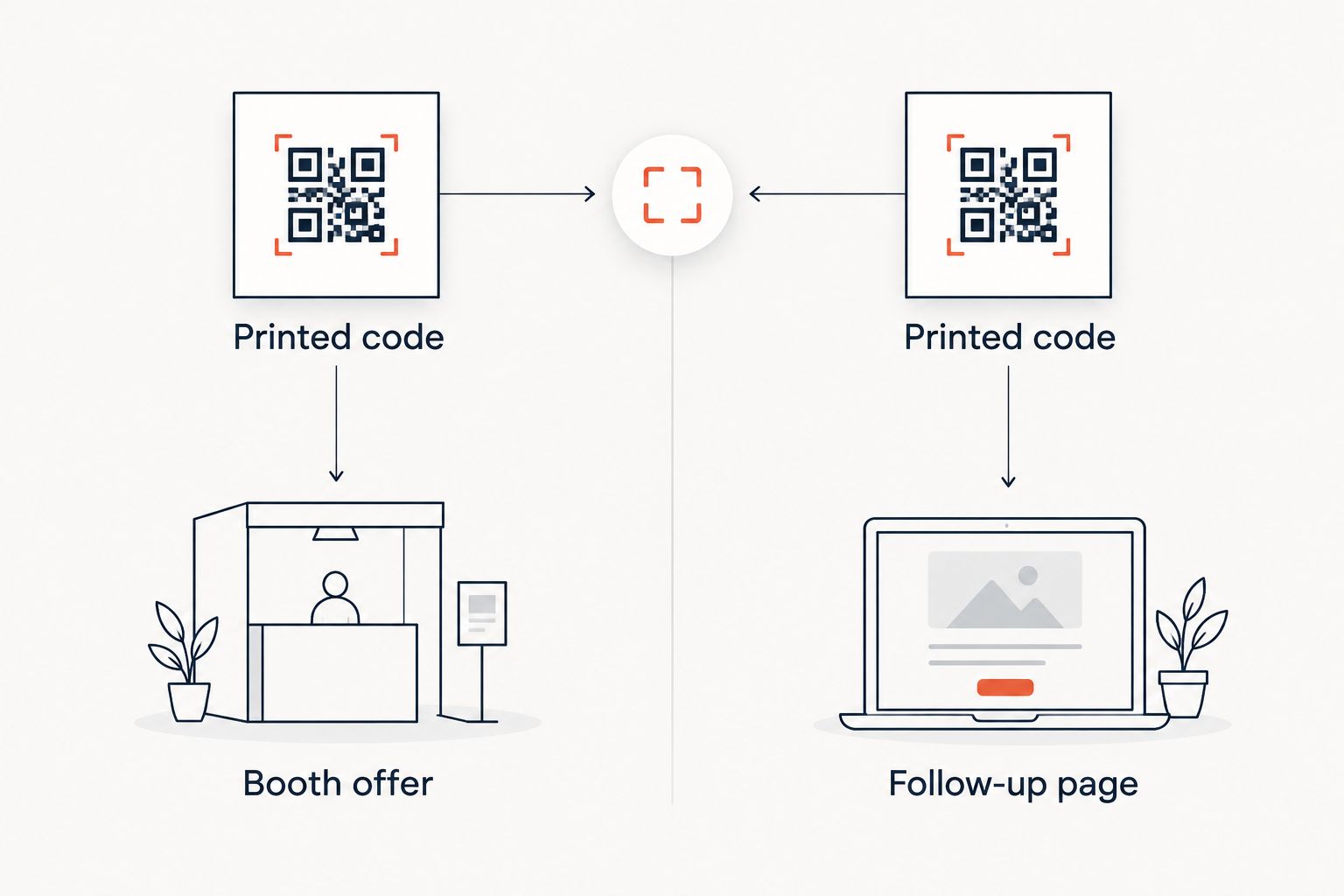
A dynamic QR code keeps the encoded link stable while its destination changes. After the event, replace an expired booking page or booth-only message with a relevant follow-up page. The printed code can remain in circulation.
Use an ordinary redirect rule you maintain yourself, or manage that destination through Redirhub's dynamic QR code workflow. Either approach still needs someone to approve the replacement page and verify it after publication.
For a destination intended to change, understand the redirect's caching behavior. HTTP 302 indicates a temporary redirect; HTTP 301 indicates a permanent redirect. Do not select a permanent status simply because the signage is printed permanently—the printed address and the current destination serve different roles.
Keep a change log for the 2026 event. Record when the destination changed so reporting can distinguish the booth offer from the post-event offer.
- Remove expired scheduling and booth instructions.
- Preserve the original campaign attribution.
- Record the previous and replacement destinations.
- Test the new destination from the printed code.
- Assign an owner for later destination reviews.
7. Reconcile scans, submissions, and sales outcomes
Begin with a spreadsheet export from the systems you already use. Put scan activity, landing-page activity, valid submissions, and sales outcomes in separate columns. Do not label the first column leads.
A scan count does not establish a unique person. Someone can scan repeatedly, share the resulting link, or open it on another device. A submitted form provides an identity only to the extent that the visitor supplies usable information.
Choose reporting windows before comparing events. For example, use a 7-day window for an initial follow-up review and a 30-day window for a later review. These are recommended reporting checkpoints, not claims about typical buyer behavior.
Keep the same definitions across your 2026 events. Otherwise, a campaign measured by raw scans will look artificially different from one measured by qualified meetings.
- Report scans as activity, not identified contacts.
- Remove test submissions from lead reporting.
- Deduplicate contacts using your CRM's established rules.
- Separate resource requests from sales requests.
- Record qualified meetings and opportunities separately.
- Document attribution gaps rather than assigning guessed credit.
Compare the tracking options
Choose the option that matches the handoff you need to manage. A static code can suit a destination that will remain fixed. An editable redirect suits printed materials whose destination must change. Identity capture requires a form or another deliberate contact-capture process.
These options are not interchangeable. You can also combine them: a dynamic QR code can send visitors to a form while a separate badge-scanning process records staff conversations.
| Option | Best for | Main advantage | Key limitation |
|---|---|---|---|
| Static QR code | A fixed destination you intend to keep | Encodes the destination directly without a separate redirect to manage | The encoded address cannot change after printing |
| Self-managed redirect with a QR code | Teams already operating redirect infrastructure | Lets you change destinations through your own configuration | Your team maintains hosting, certificates, rules, and testing |
| Redirhub dynamic QR codes | Teams managing branded event links on their own domains | Separates the printed link from the changeable destination without maintaining redirect servers | Redirect management does not replace identity capture or CRM qualification |
| Event badge scanning | Staff-led contact capture where the organizer provides it | Connects an in-person interaction to the event's contact-capture process | Access, exported fields, and permitted uses depend on the organizer's arrangements |
Before choosing badge scanning, inspect the organizer's actual export and usage terms. Before choosing any redirect platform, verify current domain setup requirements, reporting definitions, access controls, and export options. Do not infer those capabilities from the phrase dynamic QR code.
Manage event links on your domain
Use branded links and dynamic QR codes without maintaining redirect servers.
Common mistakes trade show teams make
Counting scans as booth leads
A scan records interaction with a link, not consent to sales contact or proof of buying intent. Report anonymous activity separately from submitted contact details. Your sales team needs a usable request and context, not an inflated activity total.
Printing one code on every asset
A shared code removes the distinction between the booth wall, handout, and presentation slide. Assign placement-specific links before artwork approval. If the creative team copies one code everywhere, analytics cannot reconstruct the missing placement distinction afterward.
Sending post-event visitors to a closed offer
An old scheduling page can leave late visitors without a useful next action. Prepare the replacement destination before the show starts. Keep the subject aligned with the printed promise rather than redirecting every expired campaign to an unrelated homepage.
Losing attribution during the form handoff
A tagged visit and an attributed CRM record are separate implementation tasks. Inspect a completed test submission, including hidden fields and any intermediate scheduling tool. If campaign values disappear, repair the handoff before treating the resulting records as event-attributed leads.
Leaving the printed link without an owner
An agency can create artwork while a client controls the domain and another team owns the landing page. Record those responsibilities explicitly. Domain renewal, redirect access, destination edits, and lead follow-up need named owners after the event contract or campaign ends.
FAQ
What's the best way to use QR codes for trade shows?
Use placement-specific QR codes that send visitors to a clear action and preserve campaign attribution. Connect submitted forms to your CRM; keep scan totals separate from identified leads.
Can I change a trade show QR code after printing it?
You can change the destination when the printed code points to an editable redirect. A static code's encoded address cannot change, although content at an address you control can still be updated.
Can a QR code tell me who scanned it?
A QR code alone does not identify the person scanning it. Use a form or another deliberate contact-capture process to collect identity and provide the relevant privacy information.
Should I use one QR code for the entire booth?
Use separate links when you need to distinguish placements or offers. One shared link is simpler to maintain, but it does not tell you which printed asset prompted the visit.
Is a dynamic QR code better than badge scanning?
A dynamic QR code is better suited to self-directed visits and editable destinations; badge scanning serves staff-led contact capture. Choose according to the interaction, or use both with separate reporting definitions.
How do I track booth leads after the event ends?
Preserve campaign fields in form submissions and review the resulting contacts in your CRM. Keep the printed link active and replace expired booth content with a relevant follow-up destination.
Does Redirhub replace my event CRM?
Redirhub provides link management, including branded links and dynamic QR codes, rather than replacing your lead qualification process. Use your form and CRM workflow to identify contacts, assign follow-up, and record sales outcomes.
One last thing
A QR code does not expire merely because the event ends. The encoded address remains the same; its usefulness depends on the domain, redirect, and destination continuing to work.
Before you approve the next print run, ask who will own that route after teardown. Put the answer beside the artwork approval. That small operational decision keeps a reusable booth asset from becoming an unmanaged link.