
Best overall redirect checker: curl. Best for browser-specific failures: Chrome DevTools. Best for repeatable, custom audits: Python’s http.client. This 2026 guide compares what each tool reveals, where each falls short, and how to check links before a campaign or website move.
- curl is the best redirect checker for inspecting HTTP responses and following redirect chains from the command line.
- Chrome DevTools is best for redirects affected by browser sessions, cookies, caching, or JavaScript.
- Python’s http.client suits engineering teams building repeatable checks against a migration map.
- RedirHub manages links and redirects on your own domain without maintaining redirect servers; use separate checks to validate behavior.
Why this matters
A redirect checker should answer more than whether a link opens. You need the initial response, every intermediate destination, and the final result. A working homepage does not prove that old article paths, campaign parameters, or alternate hostnames behave correctly.
Checking and management are different jobs. RedirHub provides branded links, dynamic QR codes, domain redirects, and website migration tools for teams running traffic on their own domain. A checker inspects the behavior those routes produce.
RedirHub is best for teams that need links and redirects on their own domain without maintaining redirect servers. Use the tools below to validate the routes you publish, rather than treating successful configuration as proof of successful delivery.
What makes the best redirect checker
For a 2026 migration or campaign launch, choose against these criteria:
- Response visibility: Show the HTTP status and Location header, not just the final page.
- Chain visibility: Expose intermediate hops so you can spot loops and unnecessary detours.
- Request control: Let you distinguish GET from HEAD and inspect the request actually sent.
- Browser context: Explain behavior influenced by cookies, cached responses, or JavaScript.
- Repeatability: Make it practical to compare actual destinations against expected destinations after changes.
- Operational fit: Match the person doing the work. A developer’s command-line check and a marketer’s browser investigation serve different needs.
No single tool covers every layer equally well. Start with the HTTP exchange, then add browser context or automation when the problem requires it.
Redirect checker tools at a glance in 2026
| Tool | Best for | Standout capability | Key limitation |
|---|---|---|---|
| curl | Inspecting HTTP redirects directly | Prints response headers and follows HTTP redirect chains | Does not execute page JavaScript |
| Chrome DevTools | Diagnosing behavior in a browser session | Shows network requests alongside cookies, caching, and page activity | Manual checks do not scale cleanly across migration maps |
| Python http.client | Building repeatable migration checks | Gives scripts explicit control over individual HTTP requests | Requires engineering work to follow redirects and report results |
The ranking follows the job, not a feature tally. curl is the default because it separates server responses from browser behavior. Chrome DevTools adds the browser layer. Python provides the building block for a repeatable checker when manual inspection stops being practical.
1. curl: best redirect checker for direct HTTP inspection
curl sends an HTTP request and exposes the response without rendering a webpage. You can inspect the first response or follow its redirects to see the chain. That makes curl a useful starting point for domain moves, HTTPS routing, and campaign links.
Best for: developers and technical marketers checking server-side redirects.
Check the first response
Set the shell variable URL to the address you want to inspect, then run:
curl -sS -D - -o /dev/null "$URL"
This command sends a GET request, prints response headers, and discards the body. It does not follow the redirect. Read the response status and the Location header together: the status describes the response, while Location identifies the next destination.
Avoid using HEAD as your only test. curl -I requests headers with HEAD, but a server can handle HEAD differently from GET. Check the method that matches the real visit.
Follow the chain with explicit limits
To inspect successive HTTP responses, use:
curl -sS -L -D - -o /dev/null \
  --connect-timeout 5 \
  --max-time 20 \
  --max-redirs 10 \
  "$URL"
This example allows 5 seconds for the connection phase, 20 seconds for the overall operation, and up to 10 redirects. These are chosen test limits, not service benchmarks. A timeout or redirect-limit error requires investigation; it does not identify the cause by itself.
curl pros:
- Shows each response’s headers when following a chain.
- Supports explicit request headers and methods.
- Fits terminal workflows and automated checks.
- Keeps page rendering out of the initial diagnosis.
curl cons:
- Does not execute JavaScript redirects.
- Does not reproduce your browser’s session unless you supply the relevant context.
- Requires you to interpret the headers rather than presenting a visual explanation.
Verdict: Use curl first for HTTP redirect checks. If curl reaches the expected destination but a browser does not, investigate the browser layer next.
2. Chrome DevTools: best redirect checker for browser failures
Chrome DevTools shows the network activity generated by a real browser visit. It helps distinguish an HTTP redirect from a later navigation caused by page code. You can also inspect request cookies, response headers, and the request initiator.
Best for: marketing and support teams investigating links that behave differently in a browser.
Capture the visit without losing the evidence
Open DevTools before loading the link. Select the Network panel and enable Preserve log so navigation does not clear the earlier requests. Enable Disable cache while DevTools is open when you need to reduce ordinary browser-cache interference.
Load the original address rather than starting at the final destination. Inspect document requests first, then examine their status, response headers, and initiator information. The final rendered page alone cannot tell you how the browser arrived there.
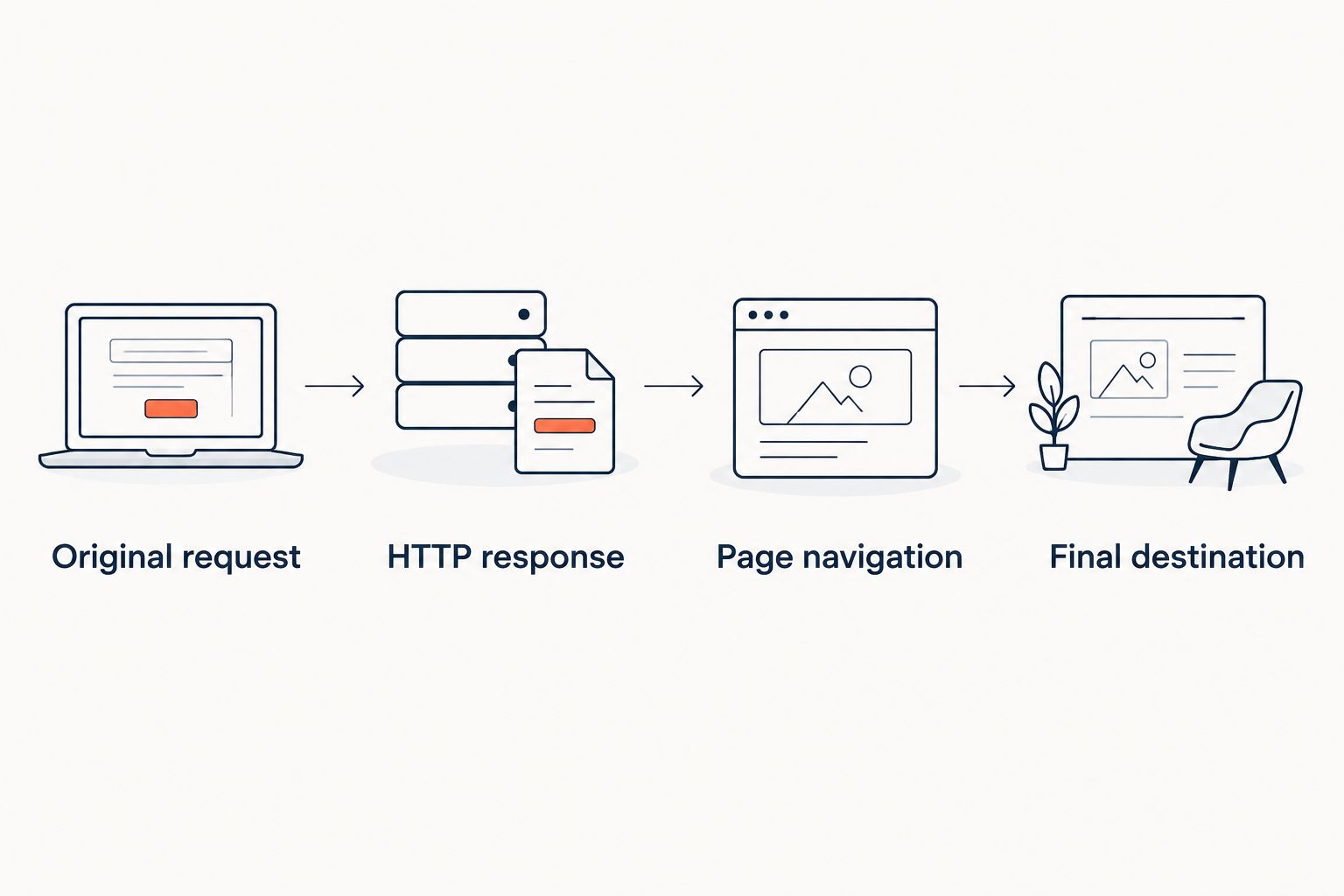
Use these labels to keep the investigation ordered:
- Original request: Confirm the address and method the browser actually requested.
- HTTP response: Inspect the status and any Location header.
- Page navigation: Check whether loaded page code initiated another visit.
- Final destination: Confirm the resulting path, query string, and page content.
Compare sessions deliberately
Repeat a failing visit in a fresh browser session when cookies or stored state are relevant. Record which session produces which result. A difference between sessions is evidence to investigate, not proof that the redirect service failed.
Chrome DevTools pros:
- Captures the browser’s actual requests.
- Exposes request and response headers in context.
- Helps identify navigation initiated by page scripts.
- Lets support teams preserve evidence from a failing visit.
Chrome DevTools cons:
- Browser state can complicate comparisons.
- Manual inspection is awkward for large URL inventories.
- A successful local visit does not establish behavior from every network or device.
Verdict: Use Chrome DevTools when browser behavior is part of the failure. Keep curl alongside it to separate HTTP responses from session and rendering effects.
3. Python http.client: best redirect checker for custom audits
Python’s standard-library http.client module provides low-level HTTP request and response handling. It does not automatically follow redirects. That gives an engineering team control over how a checker records, follows, and evaluates each hop.
Best for: engineering teams validating migration maps against explicit expectations.
This is a building block, not a ready-made audit interface. Choose it when you need a repeatable check with rules your team owns. For an occasional URL inspection, curl is simpler.
Define the expected result before writing the loop
Start with a source-to-destination mapping. Each source needs an expected destination and an intended redirect behavior. Without that mapping, a script can report a successful response while missing a redirect to the wrong page.
Your checker should record:
- The source address and requested method.
- Each response status and Location value.
- The resolved destination after relative redirects.
- The final address and response status.
- Any loop, timeout, certificate error, or destination mismatch.
Follow Location values only after resolving them against the current address. Track visited addresses to detect loops, and impose a redirect ceiling. Keep certificate verification enabled: suppressing a certificate failure hides a problem your visitors can encounter.
Keep the script’s scope narrow
An HTTP checker does not render page JavaScript. It also needs explicit handling for cookies, authentication, retries, and concurrent requests when those belong in your test. Add those behaviors deliberately rather than assuming the script behaves like a browser.
Python http.client pros:
- Makes each HTTP exchange explicit.
- Supports checks against a source-to-destination map.
- Lets you define machine-readable results.
- Fits scheduled validation and deployment workflows.
Python http.client cons:
- Requires implementation and maintenance.
- Needs additional logic for redirect resolution and loop detection.
- Does not reproduce a browser’s rendering environment.
Verdict: Use Python http.client when repeatable validation justifies maintaining code. Skip a custom checker when a terminal command and browser investigation already answer the question.
How to validate a redirect before publishing it
Use the same sequence for a 2026 website move and a printed QR campaign. The expected destination changes; the checks do not.
Define the route
Write down the original address, intended destination, and whether the change is permanent or temporary. Include important query parameters. A redirect to the correct page can still be wrong if it drops a campaign identifier the destination requires.
Inspect the response
Check the original address with GET. Record the status and Location header before following the chain. Permanent redirects use 301 or 308; temporary redirects use 302 or 307. The 307 and 308 statuses preserve the request method, which matters when redirecting requests other than ordinary page visits.
Follow the chain
Inspect every intermediate destination. Watch for hostname bouncing, repeated protocol changes, and loops. A chain that eventually succeeds still deserves attention when intermediate routes are unnecessary or depend on infrastructure you intend to retire.
Verify the destination
Confirm the final path and query string, then inspect the page itself. HTTP 200 means the request succeeded at the protocol level. It does not prove that the page matches the old content, the campaign, or the intended customer journey.
Retest after changes
Repeat the checks after DNS, redirect rules, certificates, or destination pages change. Save the expected mapping so the next check measures the same requirement. Keep a browser check for routes affected by sessions or page scripts.
How these redirect checker tools were ranked
The 2026 ranking prioritizes observable HTTP behavior, browser context, and repeatability. It does not assign performance scores or claim that one tool produces faster redirects. A checker measures or inspects a route; it does not make that route faster by inspecting it.
curl takes the default slot because it exposes the response directly. Chrome DevTools wins the browser-investigation slot because it captures the browsing context. Python http.client serves teams whose expected-destination rules need to become executable checks.
Which redirect checker should you choose?
Choose curl unless your problem requires browser context or custom automation. Add Chrome DevTools when sessions, caching, or JavaScript affect the result. Build with Python http.client when you need repeatable comparisons against a migration map.
For 2026 campaigns, keep redirect management separate from verification. RedirHub handles links and redirects on your own domain without maintaining redirect servers. Independent checks confirm that the published routes reach the destinations you intended.
Manage redirects on your own domain
Use RedirHub for branded links, dynamic QR codes, domain redirects, and website migration tools.
FAQ
What's the best redirect checker in 2026?
curl is the best default redirect checker for direct HTTP inspection. It shows response headers and can follow redirect chains without rendering a page. Use Chrome DevTools when browser-specific behavior matters.
How do I check every redirect in a chain?
Use curl with -L to follow HTTP redirects and -D - to print the response headers. Inspect each status and Location header, then confirm the final address and response. Set a redirect ceiling to stop excessive chains.
Is a 301 redirect better than a 302 redirect?
A 301 is appropriate for a permanent move; a 302 is appropriate for a temporary change. Choose the status that describes the intended behavior rather than treating either as universally better.
Why does a link work in Chrome but fail in curl?
Chrome and curl can send different requests and operate with different session state. Chrome also executes page JavaScript, while curl does not. Compare request headers, cookies, and the navigation sequence before changing redirect rules.
Can a redirect checker detect JavaScript redirects?
A browser-based investigation can detect navigation triggered by JavaScript. curl and a basic http.client checker do not execute page scripts, so they cannot reproduce that behavior on their own.
Does a final 200 response mean my redirect is correct?
No. A final 200 response confirms a successful HTTP response, not the correct destination. Check the final path, query parameters, and page content against your expected result.
Can I use these tools to check a dynamic QR code?
Yes. Decode the QR code, then inspect its embedded address with a redirect checker. Also scan the printed code with a phone, because an HTTP check cannot identify print damage or scanning problems.
One last thing
Do not validate a QR campaign using only the destination page. Decode the printed QR code and check the address it actually contains. Otherwise, you can approve a healthy landing page while leaving the printed route broken.